
Beginner's guide
How to buy from Sugargoo, step by step
A first order start to finish, following Sugargoo's own help centre, with the official screenshot on every step: make an account, find your item on the Spreadsheet, pay for the goods, read your free QC photos, then pick a line and ship it home.
WATCH THE WALKTHROUGH
Your first Sugargoo order.
Two stages, and you pay twice
The whole thing splits cleanly in two. Getting this shape in your head first is what makes the six steps below feel obvious rather than surprising.
- Stage 1Shopping: buy it into the warehouse
Find the item, submit the order, and make the first payment for the goods and their shipping inside China. Sugargoo buys it and receives it for you.
- Stage 2Shipping: send the parcel home
Once your things are in the warehouse you combine them, pick an international line, and make the second payment. Nothing leaves until you push it out.
Two things trip up first-timers. You pay twice, once for the goods and Chinese postage and again later for international freight, and nothing ships until you tell it to. Neither is hidden, but neither is obvious until someone says it out loud.
Step 1: Register a free account
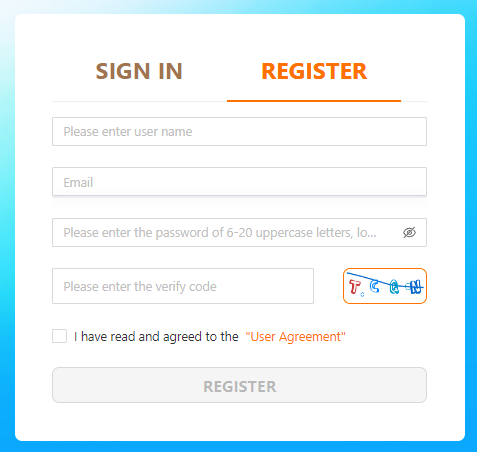
Open sugargoo.com, click SIGN IN at the top right, then switch to the REGISTER tab. You give a username, an email and a password, plus the short verification code on screen, and you tick the User Agreement before the button turns on.
Browsing needs no account. This step only matters once you are ready to place a real order, so you can leave it until you have found something worth buying.
Step 2: Activate it from your inbox
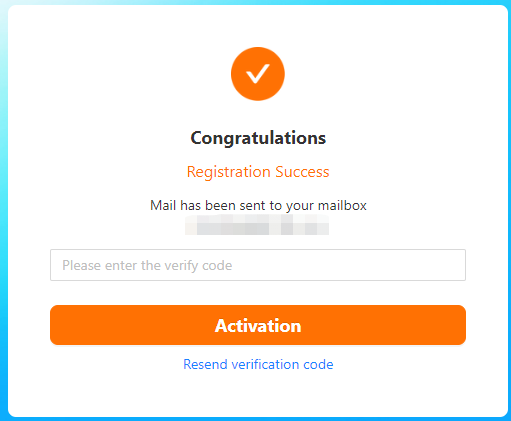
Sugargoo emails an activation code the moment you register. Enter it on the confirmation screen, or click the link in the mail, and the account goes live. If nothing arrives, the same screen has a resend button, and the code usually lands within a minute or two.
First-timers get stuck here more than anywhere else in setup, almost always because the mail sat in a spam folder. Clear it now and the rest of the order runs without interruption.
Step 3: Find your item and open it in Sugargoo
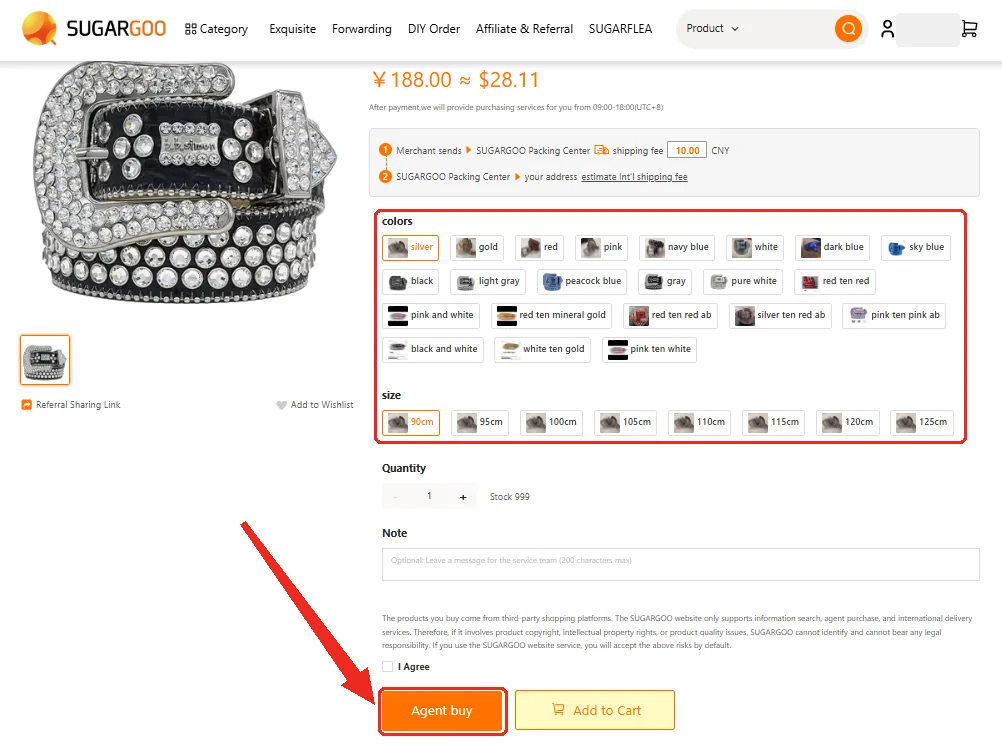
There are two ways in. Paste a full Taobao, Weidian or 1688 link into the homepage search box, the one that reads "enter the product link or keyword", and Sugargoo opens that exact item with its identifier intact. Or choose a product category to open W2CSpreadsheet. There, open a product page and select Sugargoo to continue.
Copy the whole link if you paste one. Share buttons often trim the identifier, and a trimmed link may not open the intended product. Our search also opens W2CSpreadsheet directly. Check the seller, available options and current price on Sugargoo before ordering.
Step 4: Submit the order and pay for the goods
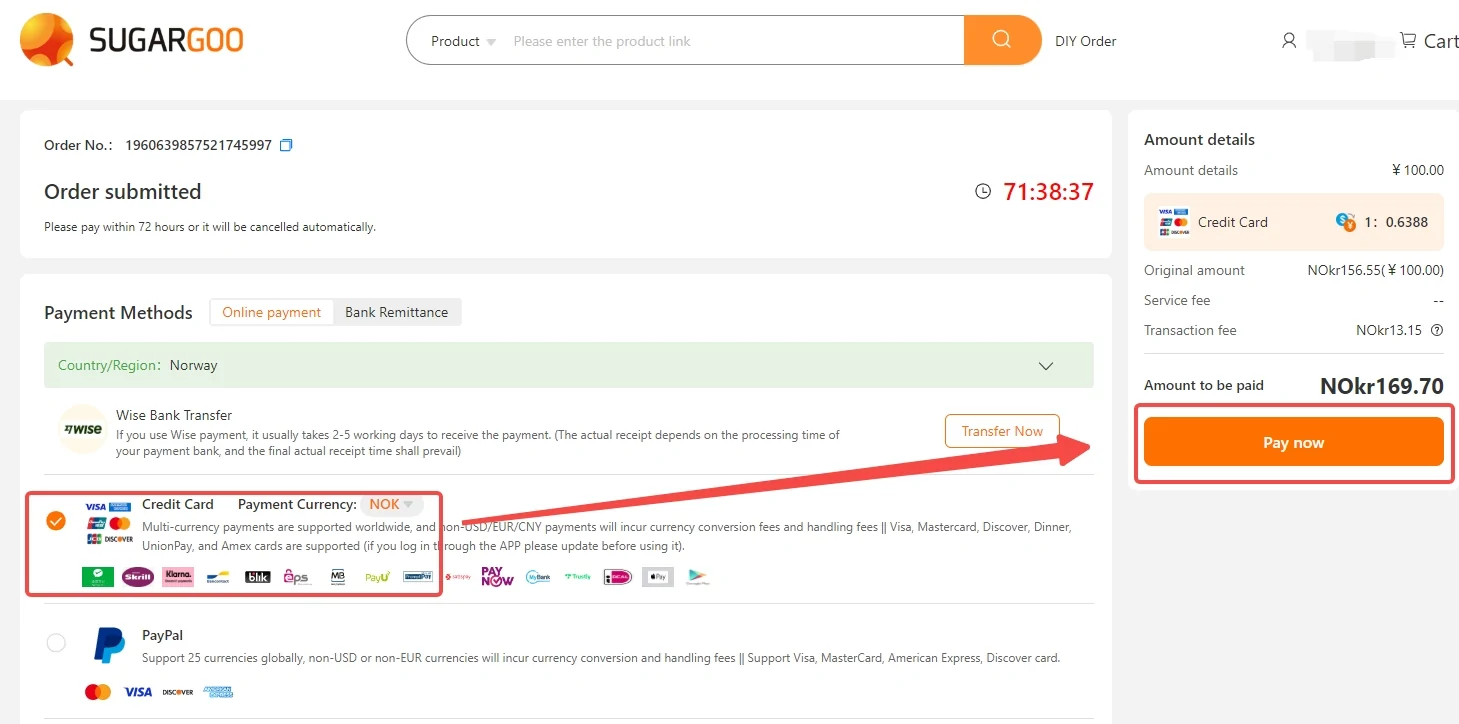
Submit the item and Sugargoo quotes the goods price plus its shipping inside China. This is the first of two payments, and the checkout gives you 72 hours to complete it. Card, PayPal, local methods and wallet top-ups all work, though a bank wire clears slowly, so most people keep a small wallet balance instead.
Once it is paid, Sugargoo buys the item and receives it at the warehouse for you. Signed for before 17:00 Beijing time means it is logged the same day; after that, processing starts the next morning.
Step 5: Check your free QC photos
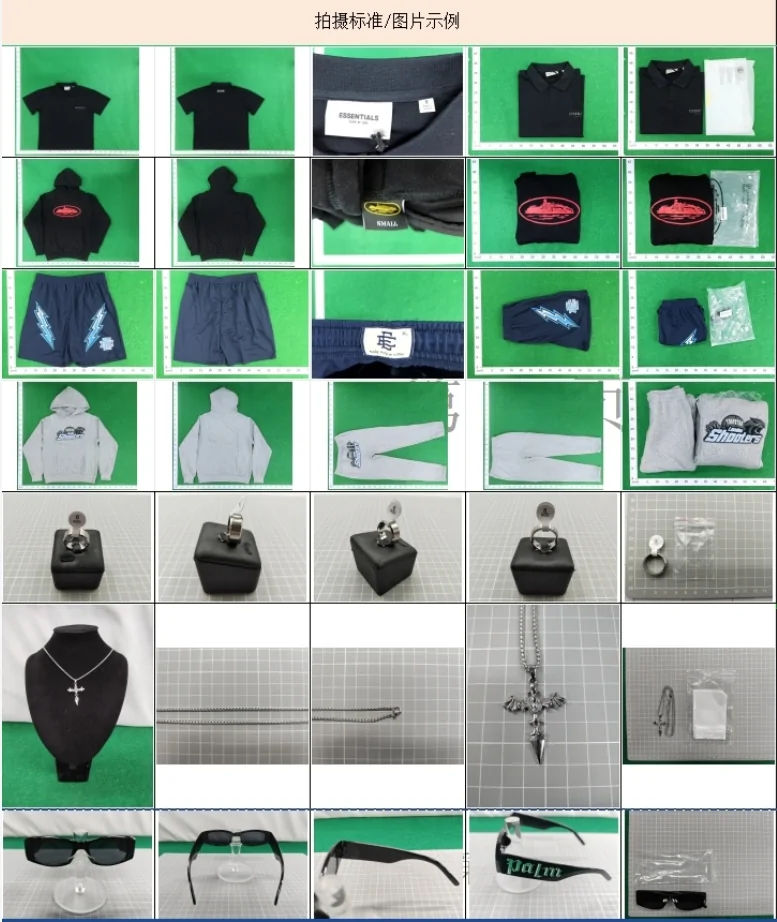
When the item lands, Sugargoo photographs it for free: five shots of the product from several angles, plus shots of the packed parcel. Sealed boxes get an exterior check only, and if a photo is too blurry to judge, you can ask for a free reshoot. The full split of what the check shows, and misses.
This is the one point where you see the real item and still have every option: approve it, pay for extra angles, or start a return. The window is five days from warehousing and it opens whether or not you look, so open the photos the day they arrive.
Step 6: Pick a line, pay shipping, and track
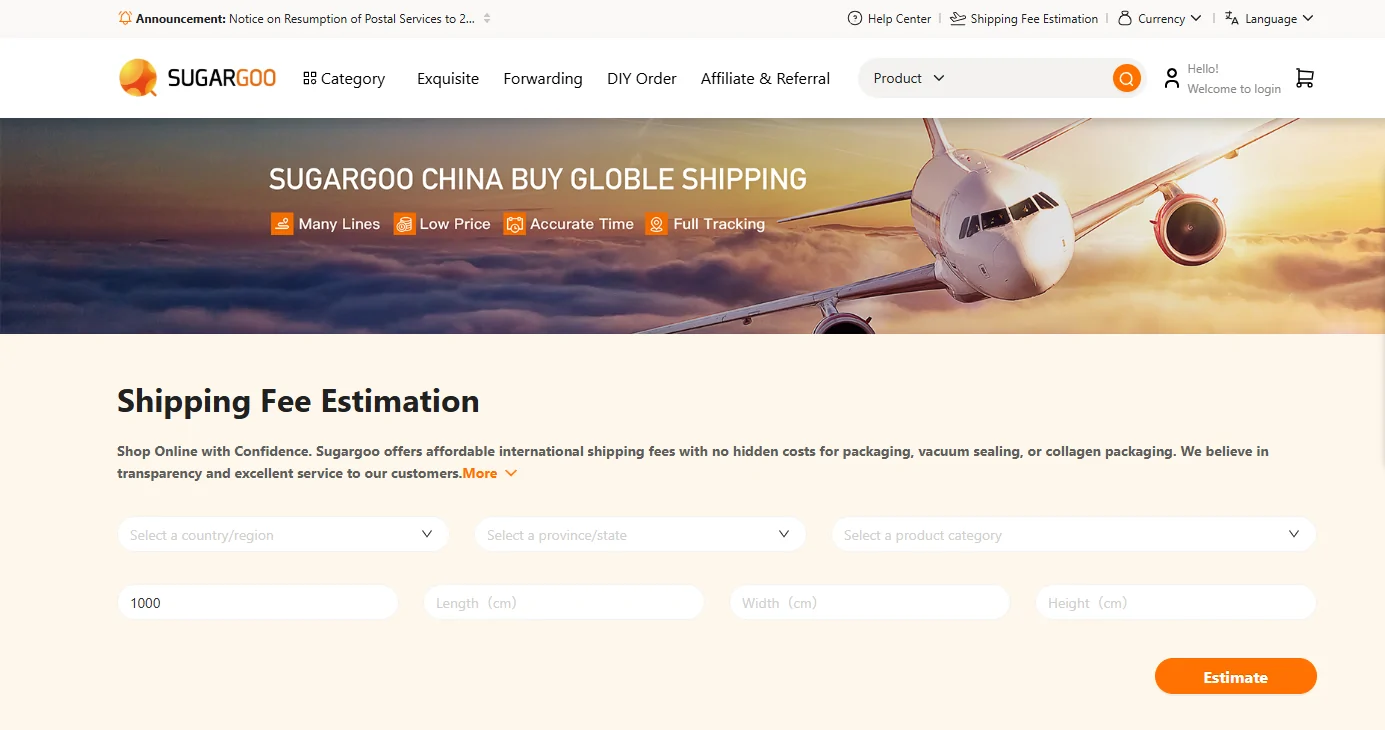
Now the second stage. Combine everything into one parcel, then use Sugargoo's estimator to compare more than 2,000 shipping lines by destination, weight and box size. You pay international freight here, the second payment, and lines are billed on an estimated weight that is refunded if the parcel comes in lighter and topped up if it is heavier. A bulky, light parcel is charged on its volume, so the box matters as much as the scale.
Paid before 17:00 Beijing time, it ships within 24 hours, and tracking starts updating two to three days later. The shipping route guide lists first-weight and additional-weight rates by country, so you can compare the weight bands before requesting a full parcel quote.
What you actually pay, and when
| Sugargoo | When it lands | |
|---|---|---|
| Service commission | None | There is no percentage fee on the goods themselves. |
| Packing fee | ¥8 per parcel | Added at the second payment, when the parcel ships. |
| QC photos | Free, 5 per item | Taken at the warehouse before you decide. The full split. |
| Free storage | 100 days | Then 8 CNY per order per 30 days if you need longer. |
| Card fee | Shown at checkout, about 4.8% + $0.5 | Charged by the payment method, not by Sugargoo. |
Sugargoo figures read from its own help centre on 5 September 2026. Agent fields come from the W2C Spreadsheet dataset covering 45 agents.
Every fee and packing service, with prices · shipping route prices
Questions
Do I need an account before I can browse?
No. The W2CSpreadsheet catalog is open to browse. You only need a free Sugargoo account to place a real order, and activating it takes one emailed code.
Why do I pay twice?
Sugargoo runs in two stages. The first payment buys the goods and moves them to its warehouse inside China. The second pays the international line that carries the parcel to you, chosen once the real weight is known. Splitting them is what lets you combine several buys into one box.
How long does the whole thing take?
Seller to warehouse is usually a few days. Warehousing is within 24 hours of signing, subject to the 17:00 Beijing cut-off. Goods then wait as long as you like, up to 100 days free. International transit depends on the line you pick, from about a week by express to several weeks by sea.